
Seamless Power BI Report Management with OneDrive/SharePoint Integration
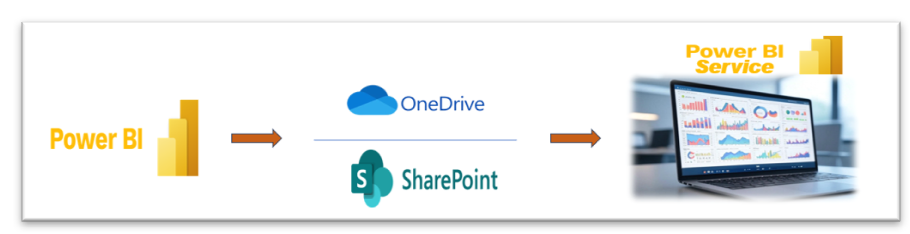
Managing Power BI reports across teams can quickly become complex without the right tools. By integrating OneDrive or SharePoint with Power BI, you streamline version control, collaboration, and report deployment — all without repetitive manual publishing. Session Objectives Understand the integration between Power BI and OneDrive/SharePoint. Learn how to manage and update Power BI reports […]
DAX Debugging Simplified: Debugging DAX Queries with Tabular Editor

Anyone working with Power BI, Excel, or any Microsoft tools will be familiar with its formula language – DAX (Data Analysis Expression). This language is used to define calculations and queries on the data models, playing a key role in transforming raw data into insightful visualizations and reports. However, those who use DAX regularly will […]
AI and Machine Learning in PowerBI: TheFuture of Data Analytics

Introduction: PowerBI Meets Intelligence Imagine a world where your data doesn’t just sit in dashboards—it speaks to you, predicts outcomes, and helps automate decisions!!! Power BI has already transformed business intelligence, but with Artificial Intelligence (AI) and Machine Learning (ML) integrated, it’s now smarter than ever. From identifying key influencers in sales to detecting anomalies […]
Sync planner data to power bi using Power Automate.

Introduction: In today’s data-driven project environments, tracking work progress visually and in real time is no longer a luxury—it’s a necessity. Microsoft Planner serves as a great tool for managing team tasks and priorities, but when it comes to analytics, it hits a wall: there’s no native connector to Power BI. That’s where Power Automate […]
From Big Data to Big Insights: Paginated Reports Made Easy

Introduction to Paginated Reports: Paginated reports are designed to be printed or shared. They are called paginated because they are formatted to fit well on a page. They display all the data in a table, even if the table spans multiple pages. You can control their report page layout exactly. Power BI Report Builder is […]
How Will Artificial Intelligence Affect Data Analysis in the Future

Introduction The role of data in modern decision-making has never been more critical. Organizations across all sectors are increasingly relying on data-driven insights to guide strategies, optimize operations, and foster innovation. However, the three V’s volume, variety, and velocity of data continue to grow exponentially, traditional data analysis methods are being pushed to their limits. […]
Deep Dive into Power BI Performance: Tackling High Cardinality for Faster Reports

When it comes to Power BI performance, most developers focus on DAX optimization and visual simplifications, but one of the biggest bottlenecks is often hidden in the data model itself—high-cardinality columns. If your reports are slow, consuming too much memory, or taking forever to refresh, chances are your cardinality is too high. Let’s break this […]
Top 5 Power Automate Flows for Business Automation

Introduction: Are you tired of spending countless hours on repetitive data tasks? Imagine a world where your data workflows are automated, seamless, and efficient. Welcome to the power of Microsoft Power Automate. As a data analyst or data engineer, your time is precious. Yet, you often find yourself bogged down by manual processes that eat […]
Boost Power BI Report Performance with Smarter Data Modeling

In the world of data analytics, Power BI stands out as a powerful tool for transforming raw data into meaningful insights. However, the performance of your Power BI reports heavily depends on how your data is structured. Efficient data modeling can significantly enhance the speed and quality of your reports. In this article, we’ll explore […]