
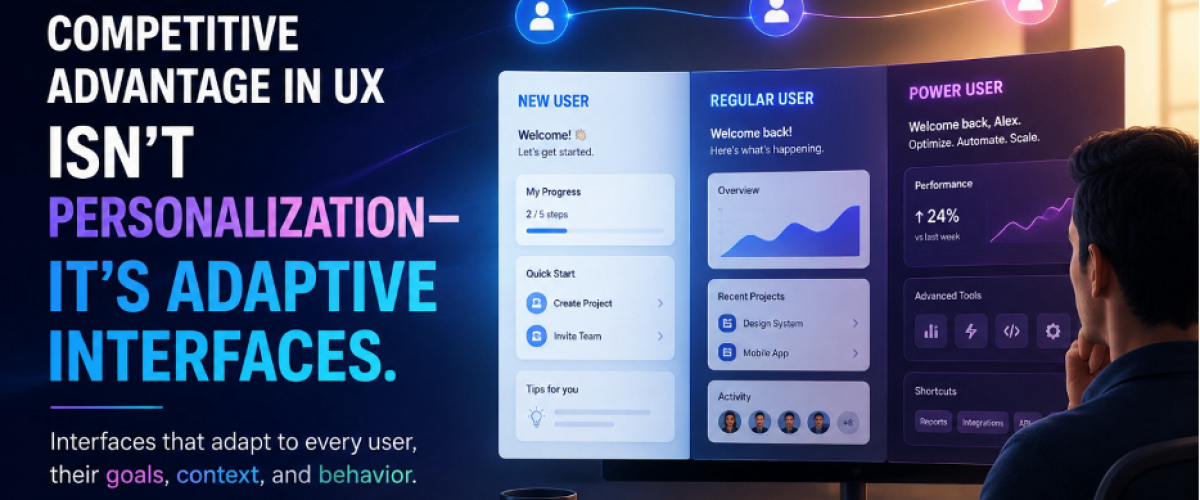
UX is moving beyond personalization toward adaptive interfaces. Instead of showing every user the same experience, modern products can adapt based on user goals, context, behavior, and experience level. For senior UX designers, this changes the challenge from simply designing interfaces to designing systems that intelligently evolve with the user. Here’s what you need to know.
Why Static Interfaces Are Starting to Break
Traditional interfaces assume that every user needs roughly the same experience.
But modern products serve users with completely different goals, roles, skill levels, and workflows.
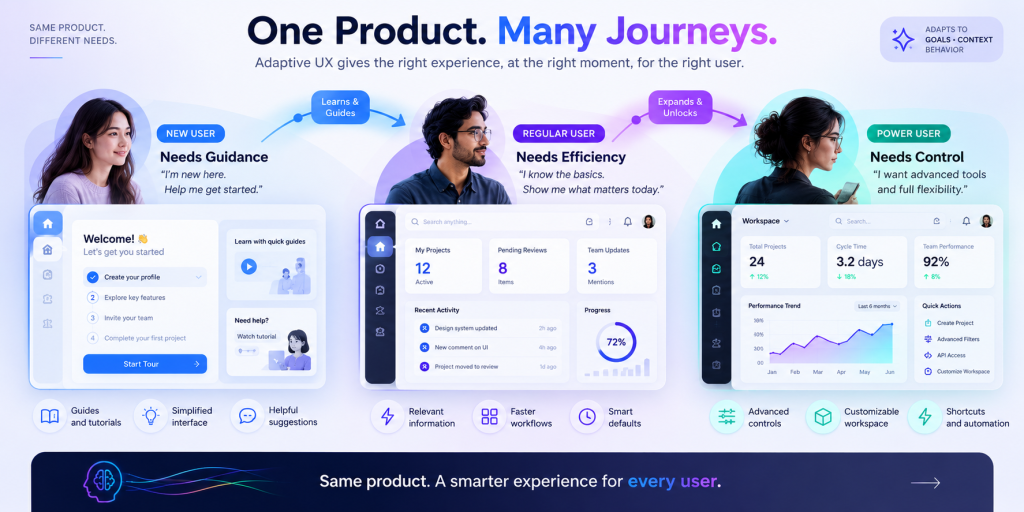
A new user may need guidance.
A regular user may want efficiency.
A power user may need advanced controls and shortcuts.
Yet many products still give all three users the same interface.
That’s where static UX starts to break down.
The interface may look clean and consistent, but consistency doesn’t always mean usability.
The future is moving toward experiences that can adapt to the person, context, and task.
Three Principles Behind Effective Adaptive UX
Context Should Shape the Experience
A user’s needs change depending on what they’re trying to accomplish.
Instead of treating every interaction the same, adaptive UX can prioritize relevant content, actions, and information based on context.
Why this matters: Users spend less time searching and more time completing their actual tasks.
The goal isn’t to create a different product for every user.
It’s to create an experience that responds intelligently to different needs.
Progressive Discovery Beats Feature Overload
Complex products often expose too much functionality too early.
That’s a cognitive-load problem.
Instead, capabilities can be introduced progressively:
New User → Guided experience
Regular User → Expanded functionality
Power User → Advanced controls
Users aren’t forced to learn everything at once.
The interface evolves as their familiarity grows.
The goal isn’t to hide functionality. It’s to reveal complexity at the right moment.
Adaptive UX Is More Than Personalizing UI
This is where the concept becomes more interesting for senior designers.
Adaptive UX isn’t simply changing cards, colors, or layouts.
It can influence:
- Navigation
- Content hierarchy
- Recommendations
- Notifications
- Search
- Dashboards
- Onboarding
- Workflow paths
- Feature visibility
The interface becomes part of a dynamic system, rather than a collection of static screens.
Instead of asking:
“What should this screen look like?”
Senior designers should ask: “How should this experience behave under different user contexts?”
That’s a much bigger design problem.
The Question Every Designer Should Be Asking
Does adaptive UX mean designers lose control of the interface?
No. It changes what designers need to control.
You’re no longer designing only the default state. You’re designing the rules behind the experience.
For example:
If the user is new → simplify and guide.
If the user becomes experienced → expose more capability.
If the user’s goal changes → prioritize relevant information.
If behavior changes → adapt without creating confusion.
The designer’s responsibility becomes defining how, when, and why the experience changes.
Try This in Your Next Product
Take one complex screen and look at it through three users: New User, Regular User, and Power User. Ask what each user needs, what should change, and what should remain consistent. This simple exercise can reveal where your product is treating completely different users the same—and where adaptive UX can create a better experience.
Conclusion: Design Systems That Evolve With Users
The future of UX isn’t about creating more personalized screens. It’s about designing systems that understand context and adapt to users. The best senior designers will move beyond static interfaces and design experiences that deliver the right information, at the right moment, for the right user.
The future of UX isn’t personalization. It’s adaptability