
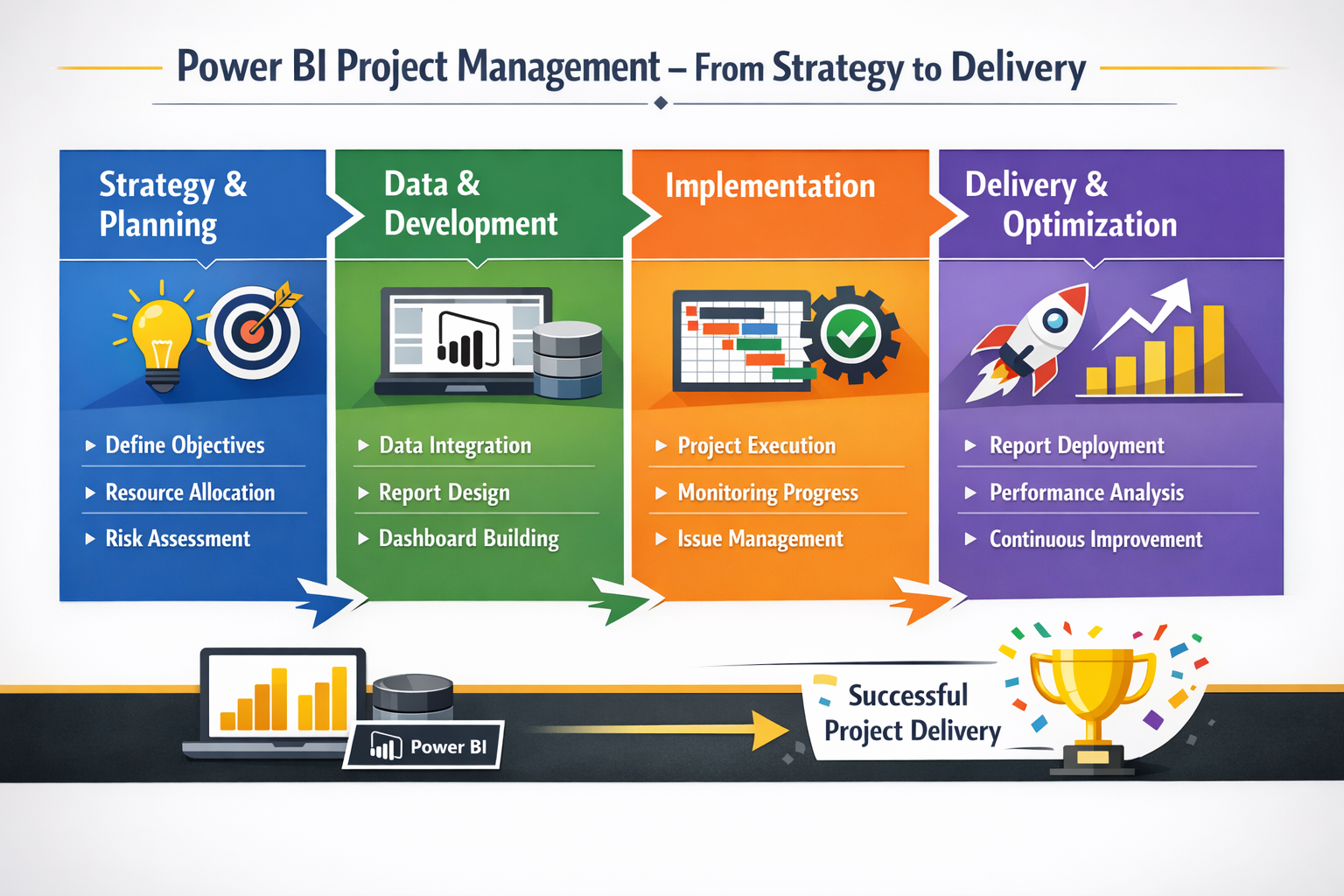
Power BI has established itself as one of the world’s leading business intelligence and data visualization platforms. Organizations across every industry rely on it to transform raw data into actionable insights through interactive dashboards and detailed analytical reports. Yet the technology alone does not determine project success — the way a project is planned, managed, and executed is equally critical.
Power BI projects are multidimensional endeavors. They span data engineering, business analysis, visual design, stakeholder engagement, and ongoing maintenance. Each dimension introduces its own complexities: data sources may be inconsistent or poorly documented; business requirements frequently evolve; end users have varying levels of data literacy; and governance frameworks must be respected throughout.
This guide explores the most widely adopted project management methodologies applied to Power BI projects, provides practical guidance on when and how to apply each one, and offers a framework for selecting the approach that best fits your organization’s needs.
Why Project Management Methodology Matters
Selecting the right project management methodology is not simply an administrative decision — it directly affects quality, speed, cost, and stakeholder satisfaction. The wrong choice can lead to misaligned deliverables, scope creep, budget overruns, or low user adoption of the final solution.
Key Dimensions That Methodology Affects
- Scope and Change Management: How requests for new reports or changes to existing ones are handled and prioritized.
- Data Quality and Governance: How data validation, lineage, and access control are built into the delivery process.
- Stakeholder Communication: How frequently updates are shared, and feedback is collected from business users.
- Team Coordination: How developers, analysts, data engineers, and business owners collaborate day-to-day.
- Risk Management: How teams identify and respond to data inconsistencies, shifting requirements, or technical blockers.
Key Insight: Organizations that align their Power BI delivery methodology with their business culture and data maturity see 40–60% higher user adoption rates compared to those that do not. A well-chosen methodology reduces rework and accelerates time-to-value. |
Agile Methodology
Agile is a philosophy of iterative, incremental delivery that prioritizes responsiveness to change over following a rigid plan. Rooted in the Agile Manifesto of 2001, it has become the dominant approach in software development and is increasingly applied to business intelligence and analytics projects.
Core Principles in a Power BI Context
- Deliver working dashboards frequently, in intervals of one to four weeks.
- Welcome changing requirements, even late in development, as business priorities evolve.
- Maintain close, ongoing collaboration between developers and business stakeholders.
- Prioritize simplicity — build only what is truly needed at each stage.
- Reflect regularly on what is working and adjust the process accordingly.
Agile — Quick Reference Iterative delivery with continuous stakeholder feedback | |
Best For | Projects where requirements are unclear or expected to change frequently |
Sprint Length | 1 to 4 weeks per iteration |
Key Roles | Product Owner, BI Developer, Business Analyst, Scrum Master (optional) |
Ceremonies | Sprint planning, daily stand-up, sprint review, retrospective |
Strengths | Rapid feedback loops, early value delivery, and high stakeholder engagement |
Challenges | Requires disciplined backlog management, risk of scope creep without governance |
Example | Building a sales performance dashboard where KPIs are refined through weekly stakeholder reviews |
Waterfall Methodology
Waterfall is a sequential, phase-based methodology where each stage must be completed and signed off on before the next begins. It is the oldest formalized approach to project management and remains highly effective for Power BI projects where requirements are stable, well-documented, and unlikely to change.
Typical Phases in a Power BI Waterfall Project
- Requirements Gathering: Detailed documentation of all reports, KPIs, data sources, and user needs.
- Data Architecture & Modeling: Design of the data warehouse, star schema, and semantic model.
- ETL / Data Pipeline Development: Building the data ingestion and transformation processes.
- Report & Dashboard Development: Creating visuals and applying business logic in Power BI Desktop.
- User Acceptance Testing (UAT): Business users validate accuracy, usability, and completeness.
- Deployment & Handover: Publishing to Power BI Service, setting up refresh schedules, and training.
Waterfall — Quick Reference Structured, sequential delivery for fixed-scope projects | |
Best For | Regulatory reporting, financial dashboards, migration projects with fixed specs |
Documentation | Extensive — requirements specification, design documents, test plans |
Key Roles | Project Manager, BI Architect, Developer, QA Tester, Business Stakeholder |
Strengths | Clear milestones, predictable budget and timeline, thorough documentation |
Challenges | Inflexible to change; late discovery of issues can be costly |
Example | Implementing a financial consolidation report for year-end statutory reporting |
Scrum Framework
Scrum is the most widely adopted Agile framework in the world. It structures work into fixed-length iterations called sprints, typically two to four weeks long, with clearly defined roles, artifacts, and ceremonies. For Power BI teams managing complex enterprise reporting environments, Scrum provides the discipline of structured delivery while retaining the flexibility of Agile principles.
Scrum Roles in a Power BI Team
- Product Owner: Defines and prioritizes the report backlog based on business value. Acts as the primary liaison between the BI team and business stakeholders.
- Scrum Master: Facilitates Scrum ceremonies, removes impediments, and coaches the team on Agile practices.
- BI Development Team: Cross-functional group of developers, data engineers, and analysts responsible for delivering sprint goals.
Scrum Artifacts
- Product Backlog: A prioritized list of all desired reports, features, and improvements, managed by the Product Owner.
- Sprint Backlog: The subset of backlog items committed to in the current sprint.
- Increment: The working, potentially deployable set of reports and dashboards produced at the end of each sprint.
Scrum — Quick Reference Structured sprints for enterprise BI delivery | |
Best For | Large organizations delivering multiple reports across business units |
Sprint Length | 2 to 4 weeks |
Ceremonies | Sprint Planning, Daily Stand-up (15 min), Sprint Review, Retrospective |
Velocity Tracking | Story points or report complexity units are used to forecast capacity |
Strengths | Structured transparency, predictable cadence, continuous improvement |
Challenges | Requires team maturity and stakeholder commitment to the Scrum process |
Example | An enterprise BI team delivering dashboards for Finance, HR, and Operations simultaneously |
Kanban Methodology
Kanban is a visual workflow management method originating from Toyota’s lean manufacturing system. Unlike Agile or Scrum, it does not use time-boxed iterations — instead, work flows continuously through defined stages. For Power BI teams responsible for ongoing support, enhancements, and maintenance, Kanban offers an intuitive, low-overhead approach to managing a steady stream of tasks.
Kanban Board Structure for Power BI
- Backlog: All incoming requests — new report requests, bug fixes, and enhancement ideas.
- In Analysis: Requirements are being clarified with business stakeholders.
- In Development: Active development of reports, visuals, or data models.
- In Review: Completed items awaiting QA testing or stakeholder sign-off.
- Done: Deployed and accepted deliverables.
Work In Progress (WIP) Limits
A central Kanban principle is limiting the number of items in each stage simultaneously (WIP limits). This prevents bottlenecks, reduces context switching, and helps teams identify and resolve blockers quickly. A typical BI team might limit ‘In Development’ to three items at a time, ensuring focus and quality.
Kanban — Quick Reference Continuous delivery for ongoing BI support and enhancements | |
Best For | Support teams, maintenance environments, and teams with unpredictable incoming work |
Cadence | Continuous flow — no fixed sprint length |
Key Metric | Lead time (from request to delivery) and cycle time (from start to finish) |
Tools | Azure DevOps Kanban board, Jira, Trello, Microsoft Planner |
Strengths | Highly flexible, low ceremony, excellent for teams with variable workload |
Challenges | Less predictable for forecasting; requires discipline to avoid WIP creep |
Example | A BI support team handling ad-hoc report requests and dashboard fixes across the business |
Hybrid Methodology (Agile + Waterfall)
In real-world enterprise Power BI projects, a single methodology rarely fits all phases perfectly. Hybrid approaches combine the structured rigor of Waterfall for foundational work — such as data architecture, governance, and infrastructure — with the flexibility of Agile for iterative dashboard and report development.
When to Use a Hybrid Approach
- When the data model and warehouse architecture must be carefully planned before development begins.
- When regulatory or compliance requirements demand a formal sign-off at key project milestones.
- When dashboard requirements are expected to evolve, but the underlying data pipeline is stable.
- When different teams — data engineering and BI development — operate at different cadences.
Typical Hybrid Structure
Phase 1 — Foundation (Waterfall):
- Formal requirements workshop and sign-off
- Data source discovery and data quality assessment
- Data warehouse and semantic model design
- ETL pipeline development and testing
Phase 2 — Development (Agile Sprints):
- Iterative dashboard and report development in 2-week sprints
- Continuous stakeholder feedback and backlog refinement
- UAT was performed incrementally at the end of each sprint
Phase 3 — Deployment & Optimization (Kanban):
- Continuous delivery of enhancements post-launch
- Ongoing support and bug resolution via Kanban board
Hybrid — Quick Reference The best of both worlds for complex enterprise BI programmes | |
Best For | Large-scale Power BI implementations with both governance and flexibility needs |
Foundation Phase | Waterfall — architecture, governance, data pipeline |
Development Phase | Agile Scrum — iterative dashboard delivery |
Support Phase | Kanban — continuous enhancements and maintenance |
Strengths | Balances control with agility; suits most enterprise environments |
Challenges | Requires strong coordination between teams following different rhythms |
Example | A group-wide BI transformation replacing legacy reports with Power BI across 10 business units |
Methodology Comparison at a Glance
The following table summarizes the key characteristics of each methodology to assist with selection:
Methodology | Best For | Flexibility | Team Size | Timeline |
Agile | Evolving requirements | High | Small–Medium | Short sprints |
Waterfall | Fixed scope projects | Low | Any | Long, sequential |
Scrum | Enterprise BI | High | Medium–Large | 2–4 weeks’ sprints |
Kanban | Ongoing support | Very High | Any | Continuous |
Hybrid | Complex BI projects | Medium–High | Medium–Large | Mixed |
Selecting the Right Methodology
Choosing the most appropriate methodology requires an honest assessment of your organization’s context. Consider the following decision factors:
Are requirements fixed or likely to change? If fixed and well-documented → Waterfall. If evolving → Agile or Scrum. |
What is the data complexity? High complexity with governance needs → Hybrid or Waterfall for the data layer. |
What is the team size? Small team → Agile or Kanban. Large cross-functional team → Scrum or Hybrid. |
Is this a new build or ongoing support? New build → Agile, Scrum, or Waterfall. Ongoing support → Kanban. |
What is the stakeholder engagement level? High availability for feedback → Agile/Scrum. Limited availability → Waterfall or Hybrid. |
Critical Success Factors
Regardless of methodology, the following practices consistently differentiate successful Power BI projects from those that struggle:
- Executive Sponsorship: Active support from senior leadership ensures prioritization of data resources and stakeholder engagement.
- Data Governance from Day One: Establish ownership of data definitions, access controls, and refresh schedules early.
- User-Centric Design: Involve end users throughout development to ensure dashboards answer real business questions.
- Robust Testing: Validate data accuracy rigorously at every stage — incorrect data destroys trust in BI solutions.
- Comprehensive Training: Invest in user training and documentation to drive adoption and self-service capability.
- Performance Optimisation: Apply DAX best practices and data model optimisation to ensure reports load quickly.
- Change Management: Communicate the purpose and benefits of new reports proactively to reduce resistance.
Conclusion
The success of a Power BI project is determined as much by how it is managed as by how it is built. Whether you choose Agile, Waterfall, Scrum, Kanban, or a Hybrid approach, the key is to select a methodology that aligns with your organization’s data maturity, stakeholder dynamics, team capabilities, and business objectives.
There is no universally correct answer. Many of the world’s most successful BI programmes combine elements of multiple methodologies — applying structure where predictability is needed and flexibility where responsiveness matters most. The organizations that deliver the greatest value from Power BI are those that treat project management as a strategic enabler, not an afterthought.
Final Recommendation: Start with a lightweight Hybrid approach for most enterprise Power BI projects. Use structured Waterfall practices for data architecture and governance, Scrum for iterative dashboard delivery, and Kanban for post-launch support. Review and adapt as your team matures. |