Data Source Parameterisation in Power BI: Why It Matters & How to Do It Right
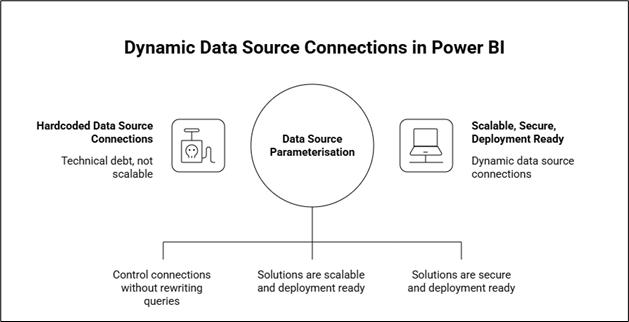
Data source parameterisation in Power BI allows you to dynamically control connections (server, database, file paths, APIs) without rewriting queries, thus making your solutions scalable, secure, and deployment-ready.
In modern BI environments, reports rarely connect to a single static source. Between Dev/Test/Prod environments and evolving infrastructure, hardcoded data source connections become technical debt very quickly. This is where data source parameterisation in Microsoft Power BI becomes critical.
Why It Matters?
Without parameterisation:
Developers manually edit connections:
Each environment change requires opening the PBIX and modifying server or database values in Power Query. This introduces unnecessary manual steps and increases dependency on individual developers.
Production mistakes happen:
Hardcoded connections can result in Dev or Test data being published to Production. Small oversights during deployment can lead to refresh failures or incorrect data exposure in the Power BI Service.
PBIX files are duplicated:
Teams often create separate files for Dev, Test, and Prod. Over time, these versions drift apart, making maintenance and consistency difficult.
Version control becomes messy:
Multiple environment-specific files complicate tracking changes and implementing structured release processes. It becomes unclear which file is the true source of truth.
With parameterisation:
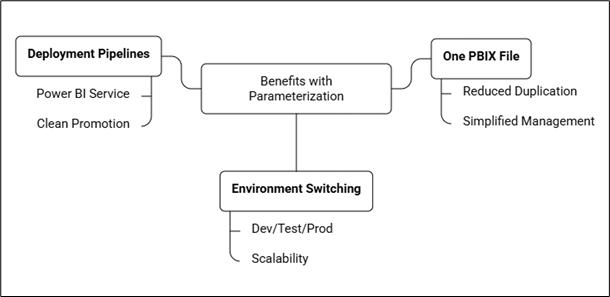
One PBIX file:
A single dataset artifact is maintained across all environments. The model logic stays consistent while only configuration values change.
Environment switching via parameters:
Connection details are controlled through parameters instead of editing the M code. This allows clean, controlled switching between Dev, Test, and Prod in Microsoft Power BI.
Clean promotion through Deployment Pipelines in the Power BI Service:
Using Deployment Pipelines in the Power BI Service, parameter values are assigned per stage. The same artifact is promoted without manual modification, reducing risk and improving governance.
Step-by-Step Implementation in Power BI Desktop
Step 1: Create Parameters
Open your PBIX file in Power BI Desktop.
On the Home ribbon, click Transform Data.
This opens the Power Query Editor, where all queries and parameters are managed.
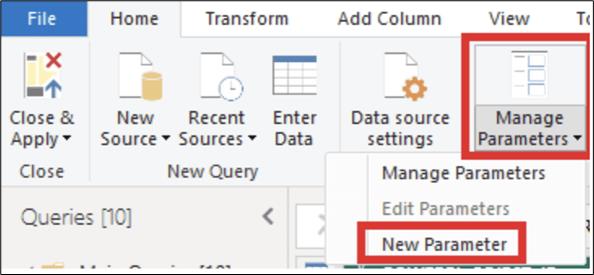
In Power Query Editor, go to the Home tab.
Click Manage Parameters → select New Parameter.
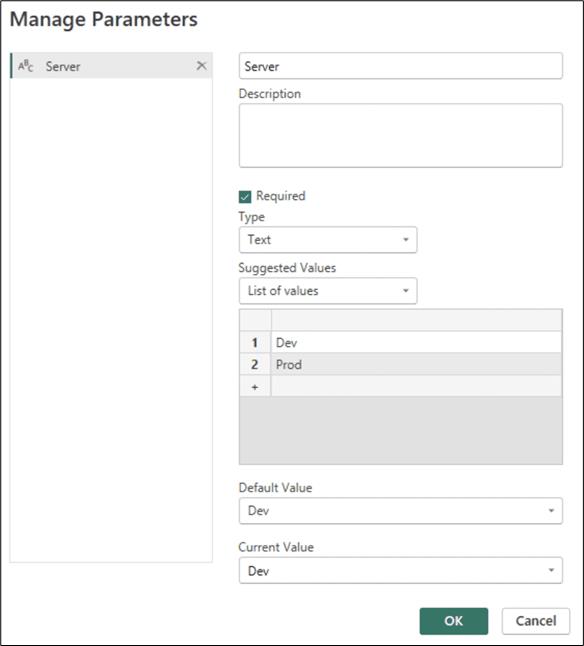
Fill in the fields as follows:
Name: Description (optional): Type:
Set Suggested Values: Under Suggested Values, choose: List of values (For example, DEV, TEST, PROD)
Default Value: DEV (recommended for development phase)
Current Value: DEV
Click OK to create the parameter.
Step 2: Replace Hardcoded Sources
Open your first query in Power Query Editor and locate the Source step in the Applied Steps pane. Click the icon next to the Source step to edit the connection settings. Replace the hardcoded values with the parameters you previously defined.
Confirm the changes, then repeat this process for any other queries that the same environment parameters should control. This ensures all relevant data sources respond dynamically to your environment settings.
When Parameterisation Is Not Required?
You may not need it if:
It is a personal analysis file
No deployment lifecycle exists
The dataset will never move environments
But anything intended for enterprise use should treat parameterisation as a default standard.
Conclusion
Data source parameterisation in Power BI is not just a technical enhancement; it is an architectural control mechanism. By separating environment configuration from transformation logic, you reduce deployment risk, eliminate file duplication, and enable clean Dev/Test/Prod promotion.