As someone working with Power BI and Azure-based analytics tools, understanding how modern analytics platforms are structured becomes increasingly important as organizations move toward unified data architectures.
This article focuses on explaining the core fundamentals of Microsoft Fabric, including its high-level architecture and a basic hands-on setup. The intent is to help readers understand how the platform is organized and how its main components work together in real-world analytics scenarios.
The goal of this blog is to provide a clear, simple, and practical starting point for beginners without overwhelming them with deep theory or advanced configurations, so they can build a strong foundation before exploring more complex Fabric capabilities.
What You Will Learn in This Blog
In this article, we will cover:
- What Microsoft Fabric is
- High-level Microsoft Fabric architecture
- Role of capacity and workspaces
- OneLake unified storage concept
- Creating a Fabric workspace
- Creating a Lakehouse for analytics
What is Microsoft Fabric?
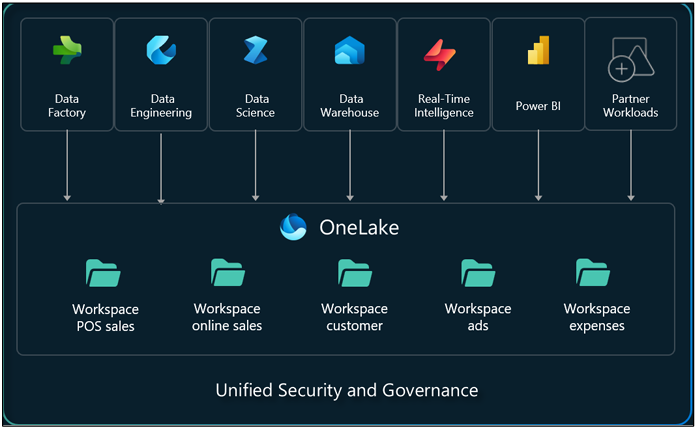
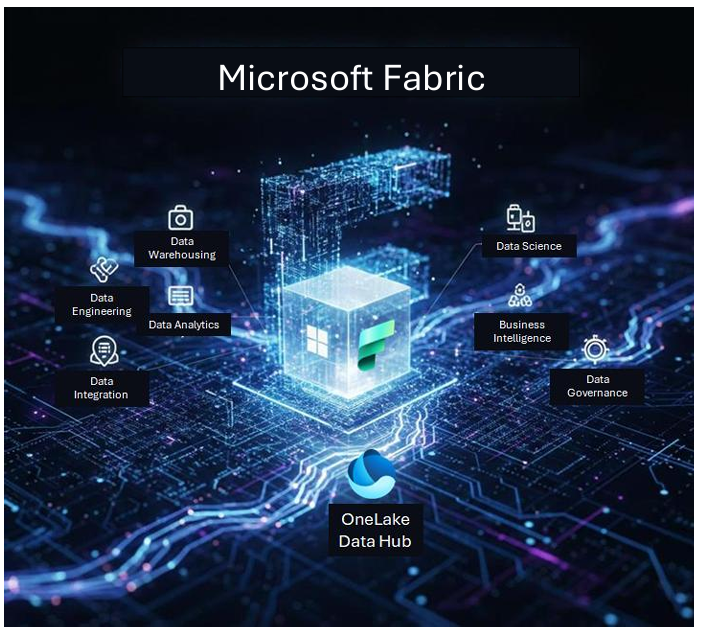
Microsoft Fabric is an all-in-one analytics platform that brings together multiple data workloads into a single unified experience. It combines capabilities such as data engineering, data integration, data warehousing, business intelligence (Power BI), and real- time analytics.
In simple terms, Microsoft Fabric provides a single environment where data preparation, storage, and reporting work together seamlessly.
Microsoft Fabric Platform Architecture
Microsoft Fabric uses a unified architecture that separates compute and storage while allowing multiple analytics workloads to operate on shared data.
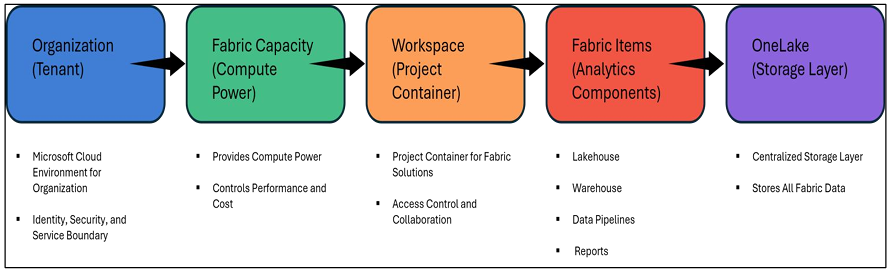
In this model, compute is provided through Fabric capacity, while data is centrally stored in OneLake. Workspaces act as containers where analytics solutions are built, and Fabric items such as Lakehouses, Warehouses, Pipelines, and Reports operate within these workspaces.
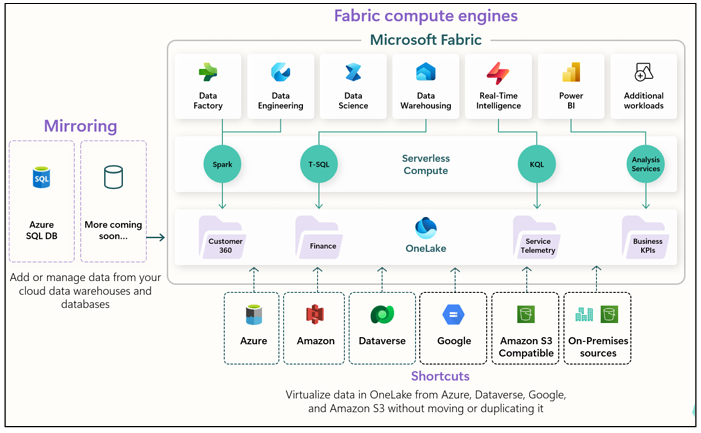
At a high level, Microsoft Fabric can be understood using the following logical structure:
The above diagram represents a simplified logical view of Microsoft Fabric architecture for learning purposes.
Understanding Tenant (Organization Layer)
A tenant represents your organization’s cloud environment in Microsoft services. It manages users, identities, security permissions, and service configurations. Microsoft Fabric runs inside this tenant, just like Power BI and Microsoft 365 services.
What is Fabric Capacity and Why Does It Matter?
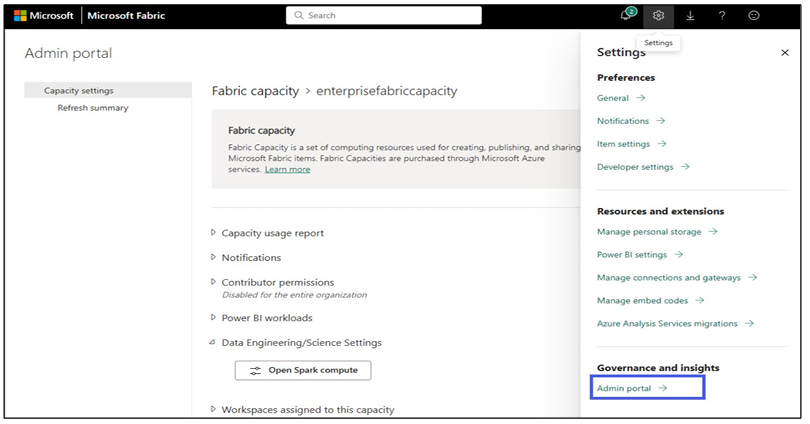
Fabric capacity provides the compute power required to run workloads in Microsoft Fabric. It controls performance and scalability, and is the primary cost driver in Fabric. Workspaces must be connected to capacity to function.
What is a Workspace?
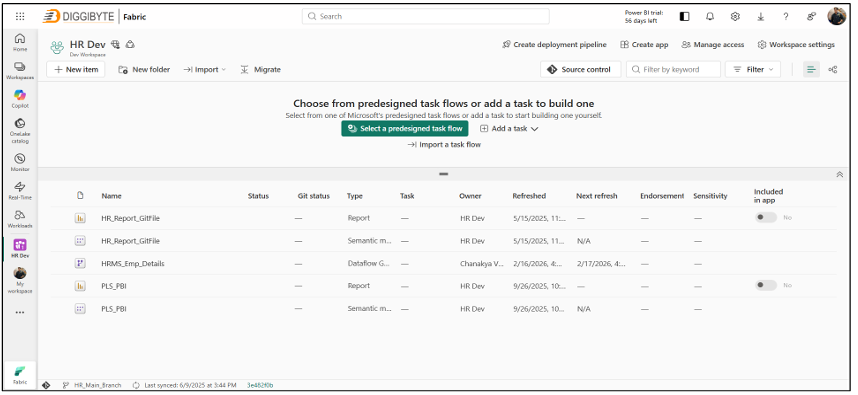
A Workspace acts as a project container in Microsoft Fabric. Inside a workspace, you can create and manage Lakehouses, Warehouses, Data pipelines, Dataflows, and Power BI reports and dashboards.
Introducing OneLake (Fabric Storage Layer)
OneLake is the centralized storage layer used by Microsoft Fabric. There is one OneLake per organization, and it stores all Fabric analytics data. When data is created in Lakehouse or Warehouse, it is actually stored inside OneLake behind the scenes.
Hands-on: Creating Your First Fabric Workspace
Step 1: Go to https://app.fabric.microsoft.com and sign in.
Step 2: Sign in using your organizational or Fabric trial account.
Steps to create a workspace:
- Click Workspaces
- Click New Workspace
- Enter Workspace Name
- Assign Capacity
- Click Create
Your workspace is now ready for analytics workloads.
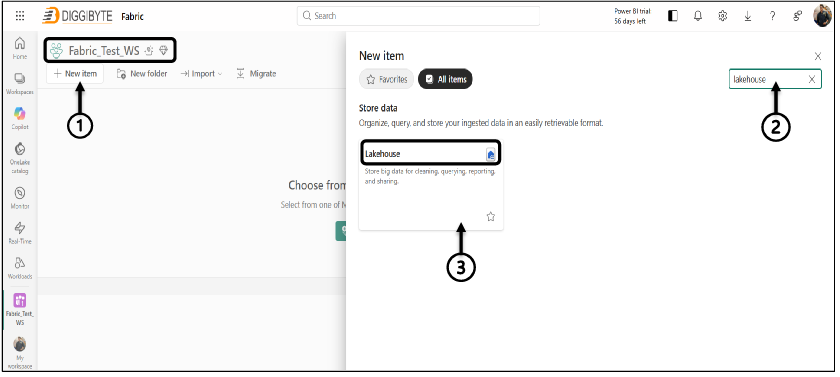
Creating Your First Lakehouse
A Lakehouse is a core storage and analytics component in Microsoft Fabric. It supports both raw files and structured Delta tables in a single environment.
After creating a Lakehouse, you will see two main sections:
Files → Used for raw data, such as CSV or JSON Tables → Used for structured Delta tables
This allows both raw data storage and structured analytics processing in one place.
Why is this setup important?
By creating a workspace and Lakehouse, you build the foundation required to start working with Microsoft Fabric.
This enables data ingestion, transformations, analytics modeling, and reporting.
Who Should Learn Microsoft Fabric?
Microsoft Fabric is valuable for:
- Data Analysts
- Power BI Developers
- Analytics Engineers
- Azure Data Platform professionals
- Professionals preparing for Microsoft Fabric certifications
Conclusion
In this blog, we explored the fundamentals of Microsoft Fabric, including architecture, capacity, workspaces, OneLake storage, and basic hands-on setup using workspace and Lakehouse creation. With this foundation, you can confidently begin building analytics solutions using Microsoft Fabric.
References
Microsoft Fabric Overview – https://learn.microsoft.com/en-us/fabric/fundamentals/microsoft-fabric-overview
OneLake Overview – https://learn.microsoft.com/en-us/fabric/onelake/onelake-overview
Microsoft Fabric Pricing – https://azure.microsoft.com/en-us/pricing/details/microsoft-fabric/